

QuestPace

Game library for iPhone

Your games.
At your pace.

Keep track of your games, progress and notes.
Organize your backlog and decide what to play next.

See the features
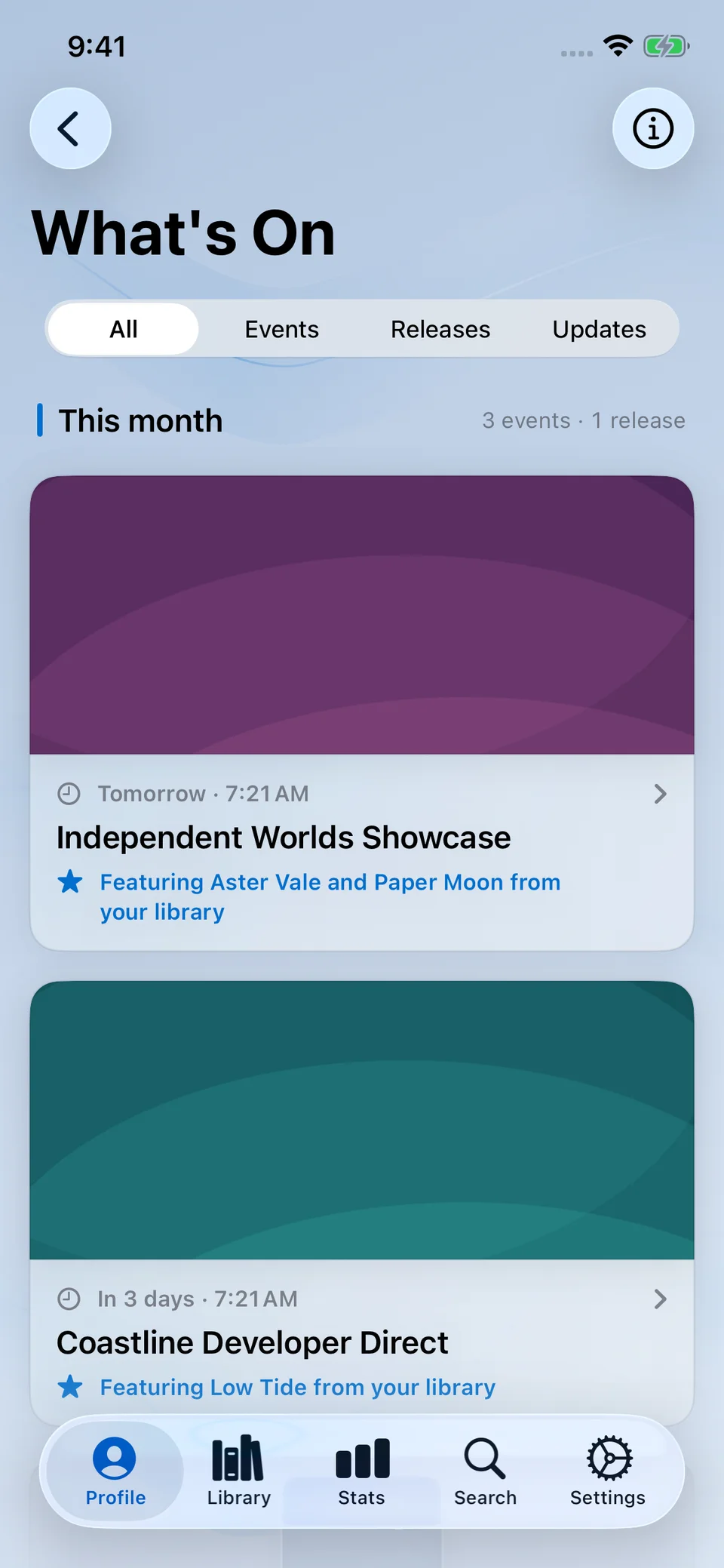
What’s On with upcoming gaming events in light mode.
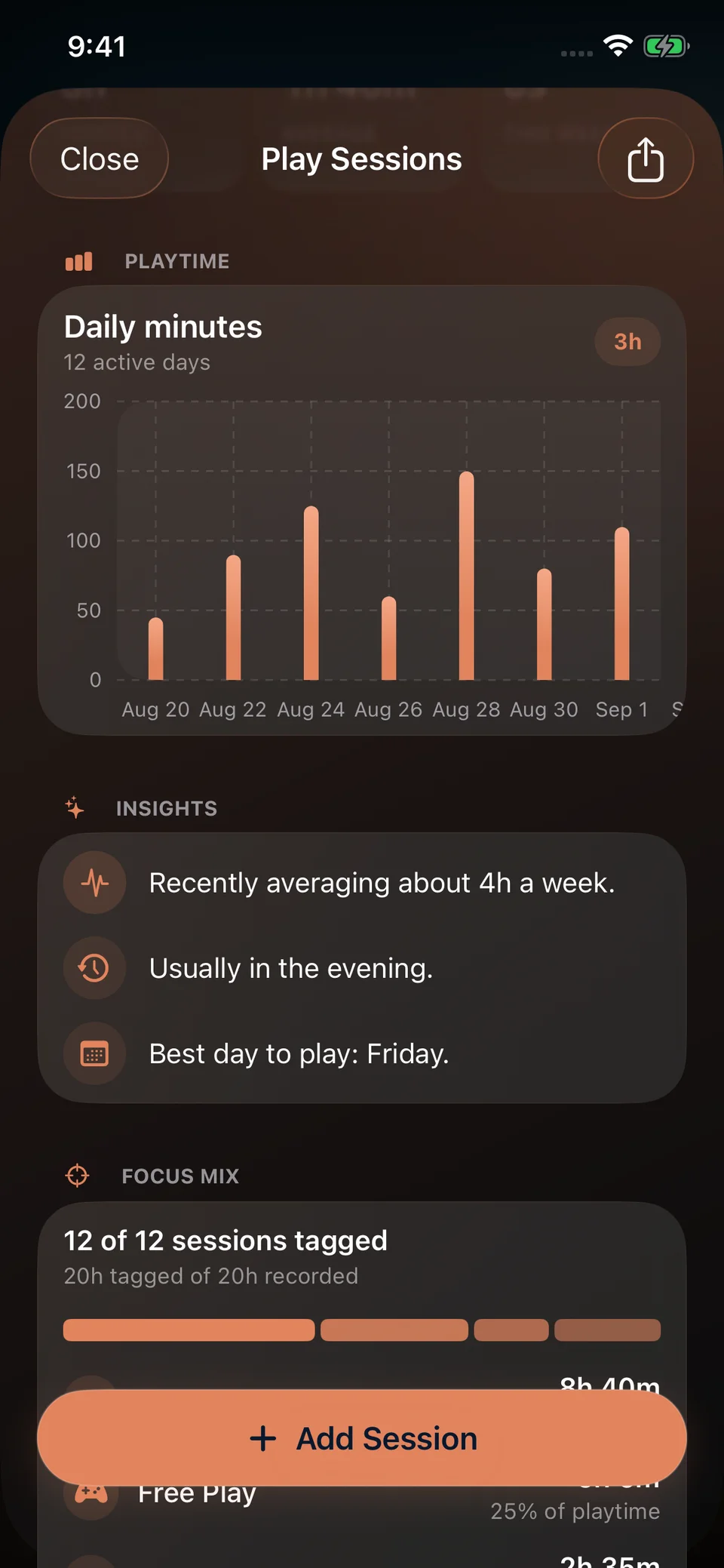
Session Insights within Play Sessions, with daily playtime and Focus Mix.
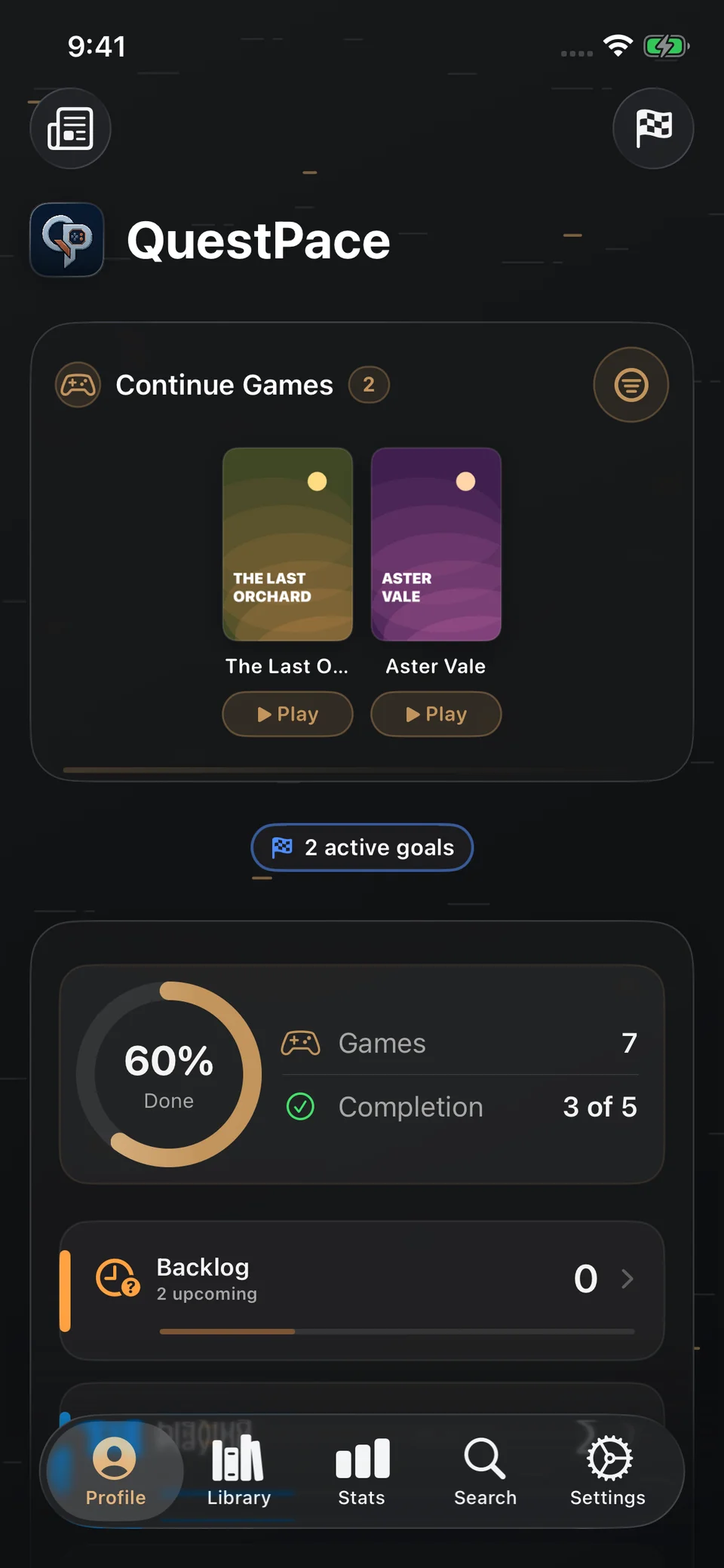
QuestPace profile overview with current games, active goals and library progress.
Real app. Fictional games and demo data.

Your game library

Your collection.
In one place.

QuestPace brings your game library, progress and plans together. Track what you need and keep an overview of your collection.

A library you can organize

Search the game catalogue and add titles to your collection. Separate your backlog from games in progress and completed games, then keep your ratings and personal notes with each title.

Record your playtime, if you want

Start a timer while you play or add a session afterwards. Edit your records and review your full play history. Tracking time is optional — your library, notes and goals work without it.

Set goals and follow progress

Create your own goals and check your progress as you update your library. Manual goals are included in Free. With Pro, Time Budget Assistant can also help you choose games for the time you have.

Make sense of your backlog

Browse your saved games or use Surprise Me to pick something from your collection. Pro adds Backlog Horizon for an estimate of the time ahead, using available game estimates and your recorded activity.

Plan when to play

With Pro, create game sessions, deadlines and reminders in Apple Calendar and Reminders. Viewing and managing existing plans stays Free, along with Calendar reminders for What’s On gaming events.

Understand your playing habits

Basic statistics give you an overview of your collection and progress. Pro adds Advanced Insights, monthly and yearly recaps, and Session Insights with Focus Mix. Playtime-based views use the sessions you choose to record.

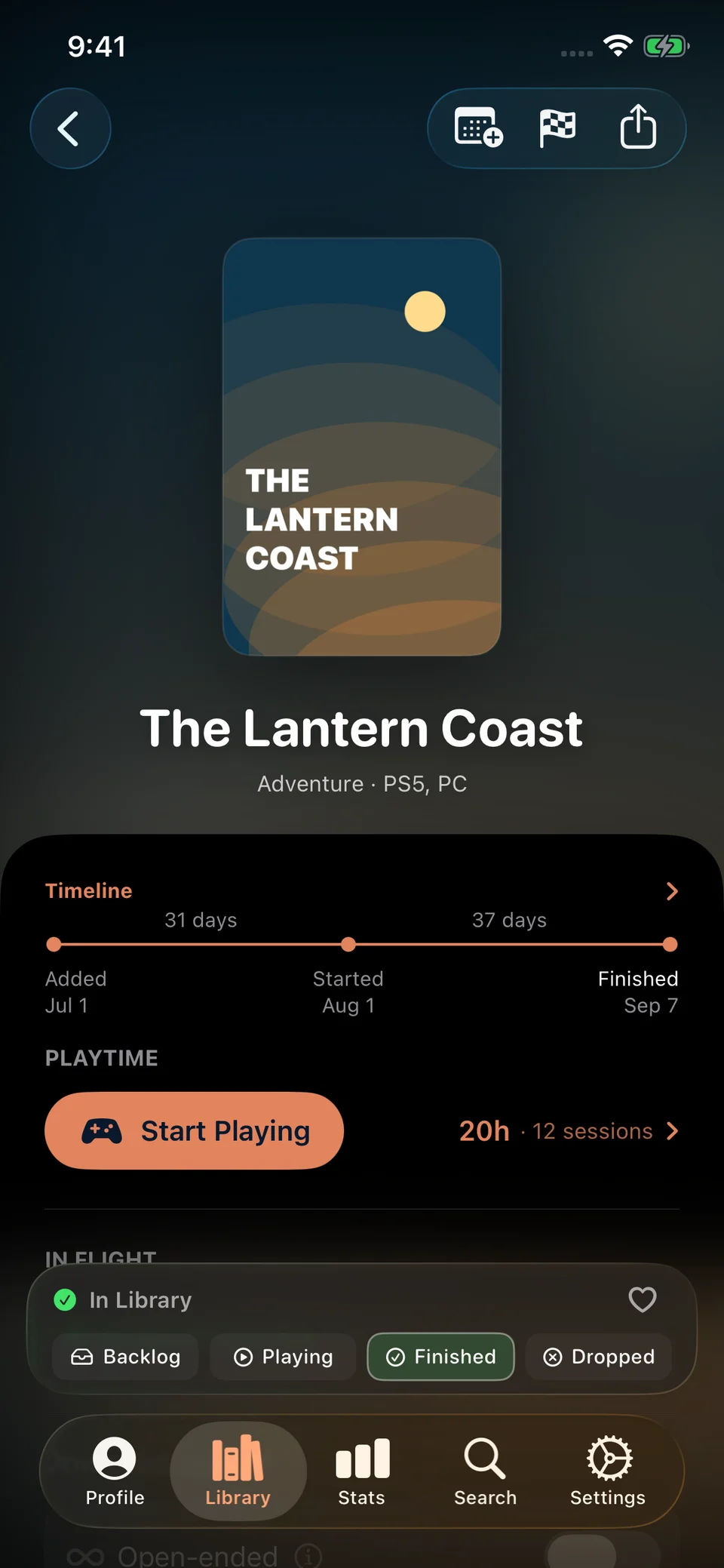
QuestPace game detail for The Lantern Coast, showing a demo game timeline and playtime.

Notes and progress

Keep a record
of each game.

Save your ratings and notes alongside each game’s status and play history. Review them whenever you return to a game.

QuestPace Profile in dark mode, showing the personal game overview with demo data.

Your progress

An overview
of your library.

See your current games, follow your goals and review what you’ve completed. Statistics and recaps use the data you choose to record.

Read the FAQ

Inside QuestPace

See how the features work.

Real app screens, with examples of planning, tracking and sharing.

Follow the games you’re waiting for.

Keep upcoming titles in your collection and follow the events and release dates that matter to you.

What’s On, showing fictional gaming showcases and the current month’s event and release summary.

What’s On

Follow gaming events, releases and catalogue updates for your saved games. Add events to Calendar to keep them in your schedule.

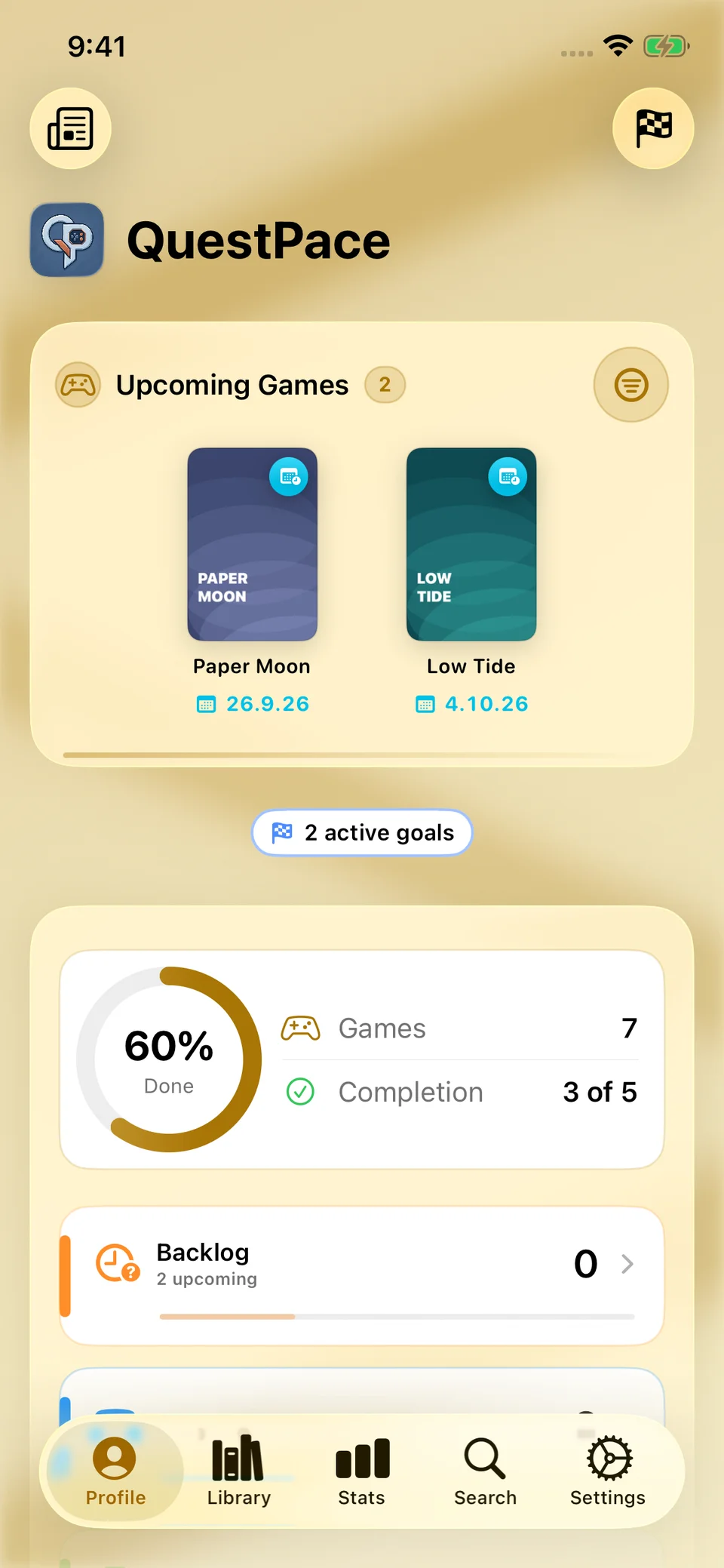
QuestPace profile with an Upcoming shelf showing Paper Moon and Low Tide, their release dates and library progress.

Upcoming Games

Save games before launch. Keep their release dates together in the Upcoming shelf, ready for when you decide to play.

Make time for your collection.

Find games that fit your available time, set a goal or put a session, reminder or deadline into your schedule.

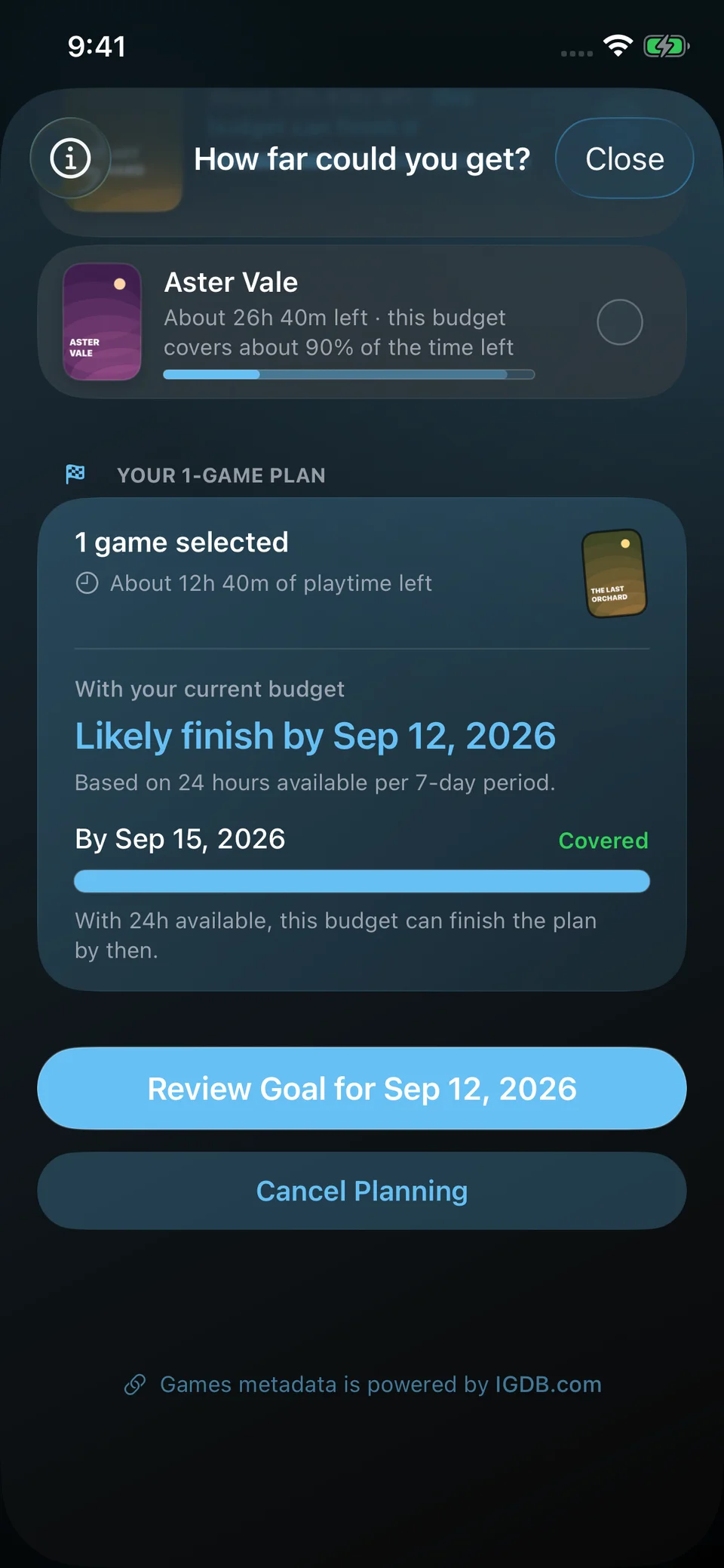
Time Budget Assistant with The Last Orchard selected: 12 hours 40 minutes remaining, estimated completion on September 12 and full coverage within the 24-hour weekly budget.

Time Budget Assistant

Set a weekly or monthly time budget and build a goal from games that fit. Estimates require a released, finishable game with a How Long to Beat estimate.

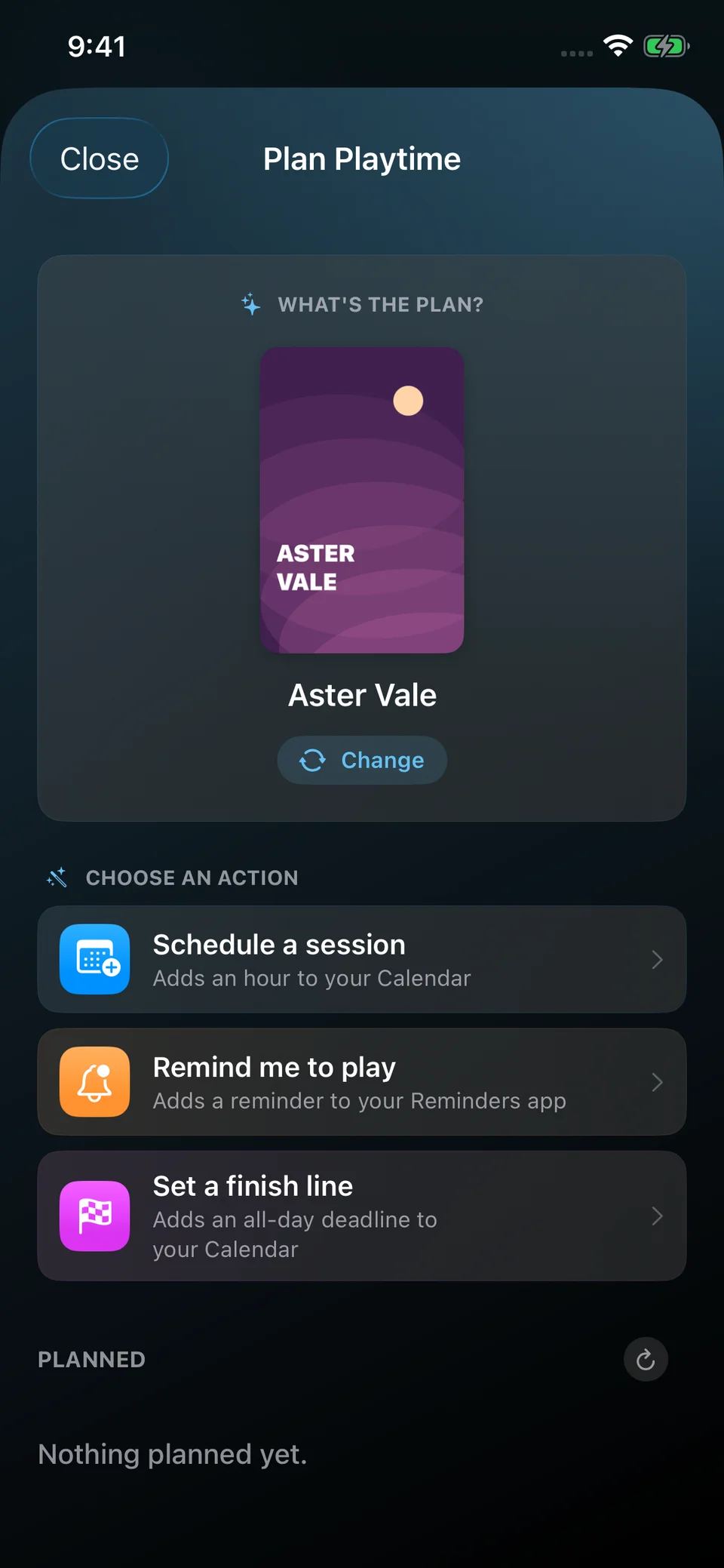
Plan Playtime for Aster Vale, with options to schedule a session, add a reminder or set a finish line.

Planner

Schedule a Calendar session, add a Reminder or set a finish date. Review each game’s plans in one place.

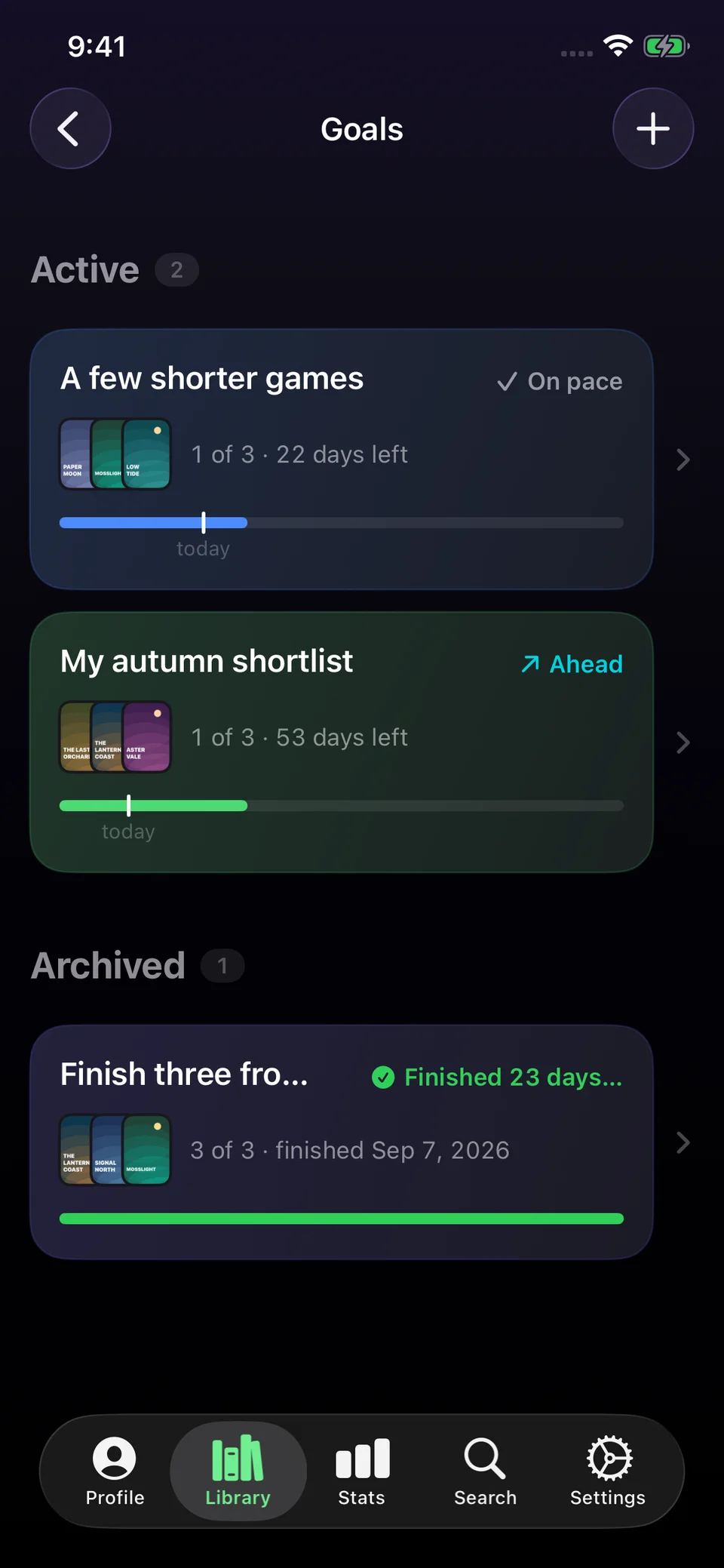
Goals in dark mode with two active goals showing progress and pace, and one completed goal.

Goals

Choose games and a deadline. Track completed games and see how your progress compares with the time remaining.

Keep a record of your progress.

Your library works with or without playtime tracking. Record as much detail as you find useful.

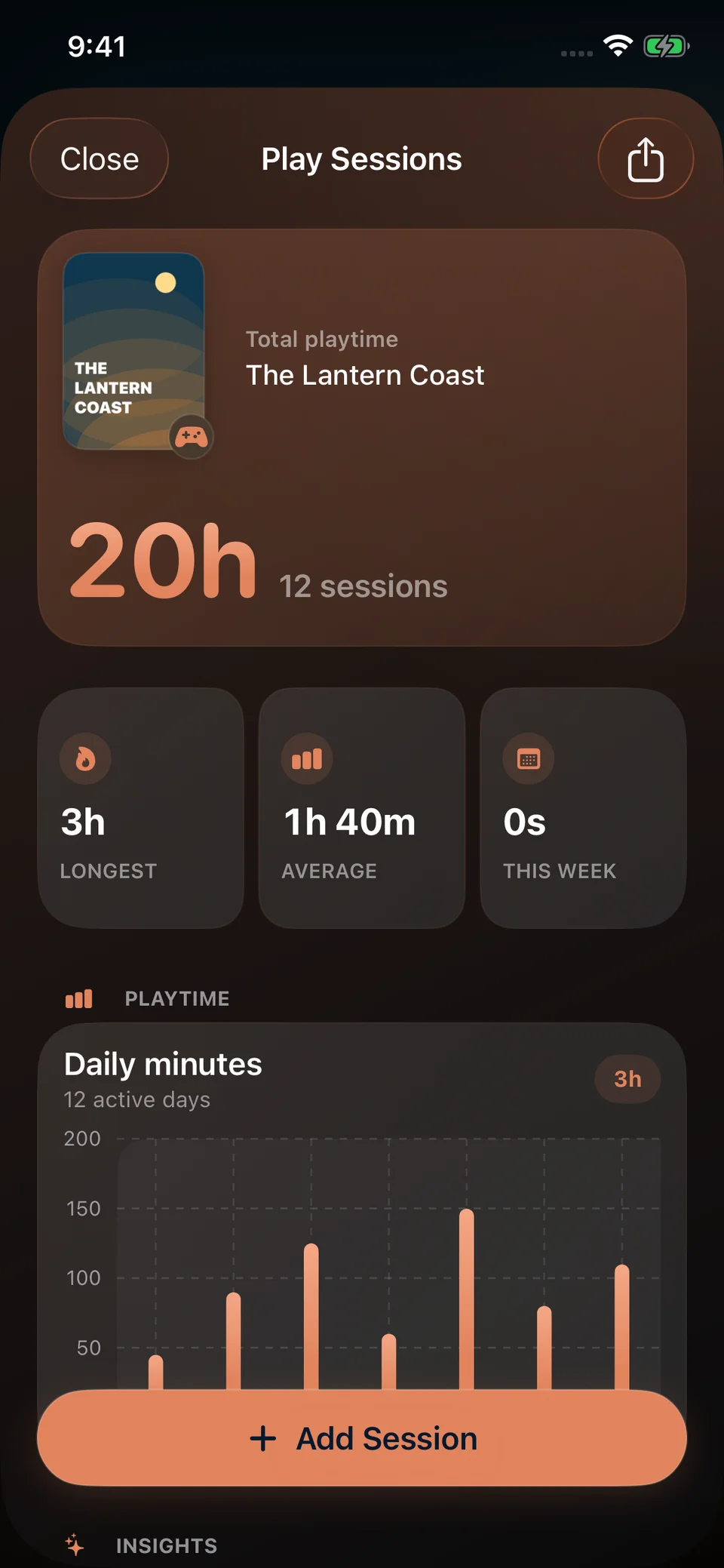
Play Sessions showing 20 hours across twelve varied sessions for The Lantern Coast in dark mode.

Play Sessions

Start a timer or log a session afterwards. Review and edit dates, durations and focus tags, with totals for each game.

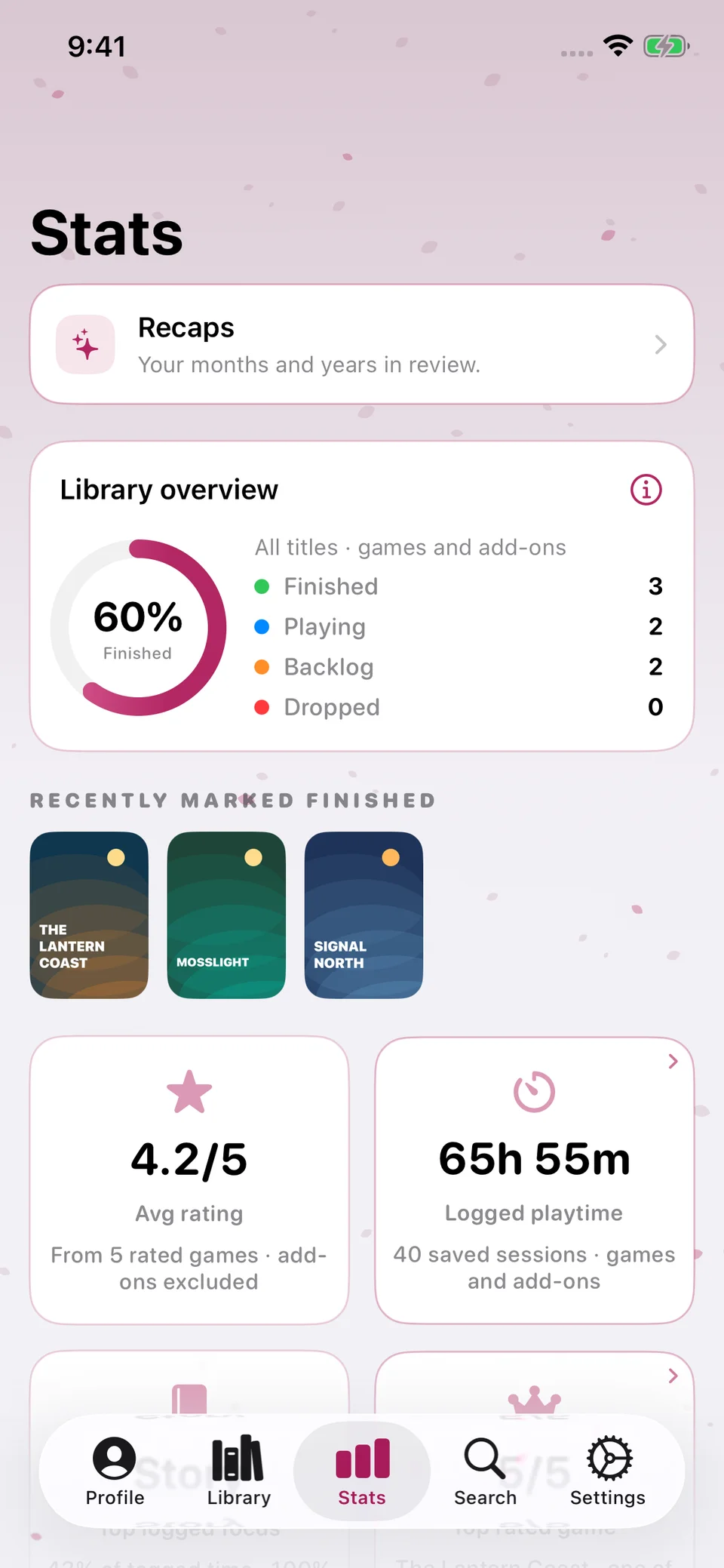
Stats, showing seven demo games, 60 percent finished, a 4.2 rating average and 65 hours 55 minutes logged.

Stats

Review your backlog, current games, recent finishes and ratings. Open Recaps or scroll through Advanced Insights for a closer look.

Explore the detail. Share the result.

Turn your records into a closer look at how you play, or create a card for a game you’ve finished.

Session Insights within Play Sessions, showing a daily chart, playing patterns and the Focus Mix summary from demo records.

Session Insights

Explore daily playtime and playing patterns directly in Play Sessions. Focus Mix breaks tagged time into Story, Free Play, Completion and Multiplayer.

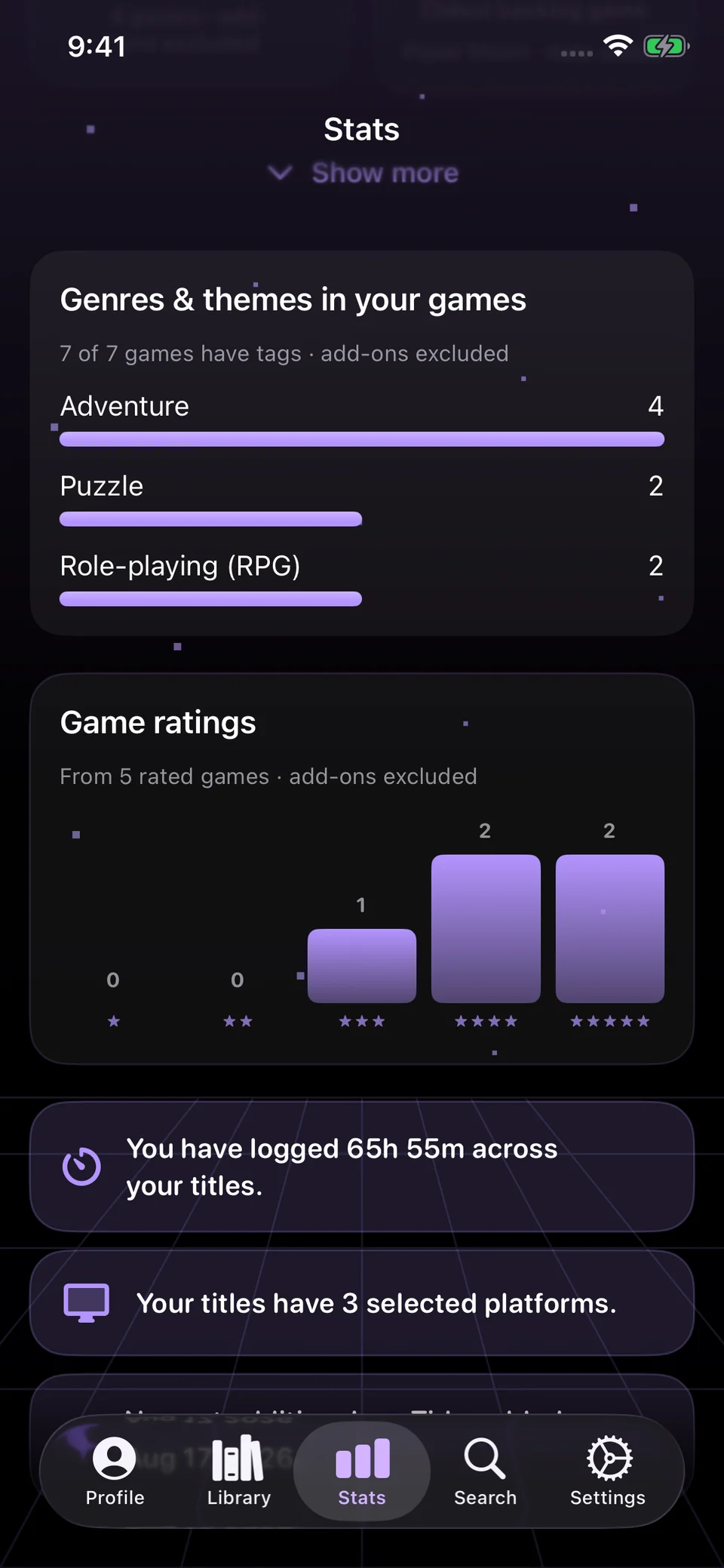
Advanced Insights within Stats, showing genre bars, ratings from five demo games, logged playtime and selected platforms.

Advanced Insights

Explore genres, ratings and playtime directly in Stats, using the data you provide. Playtime tracking stays optional.

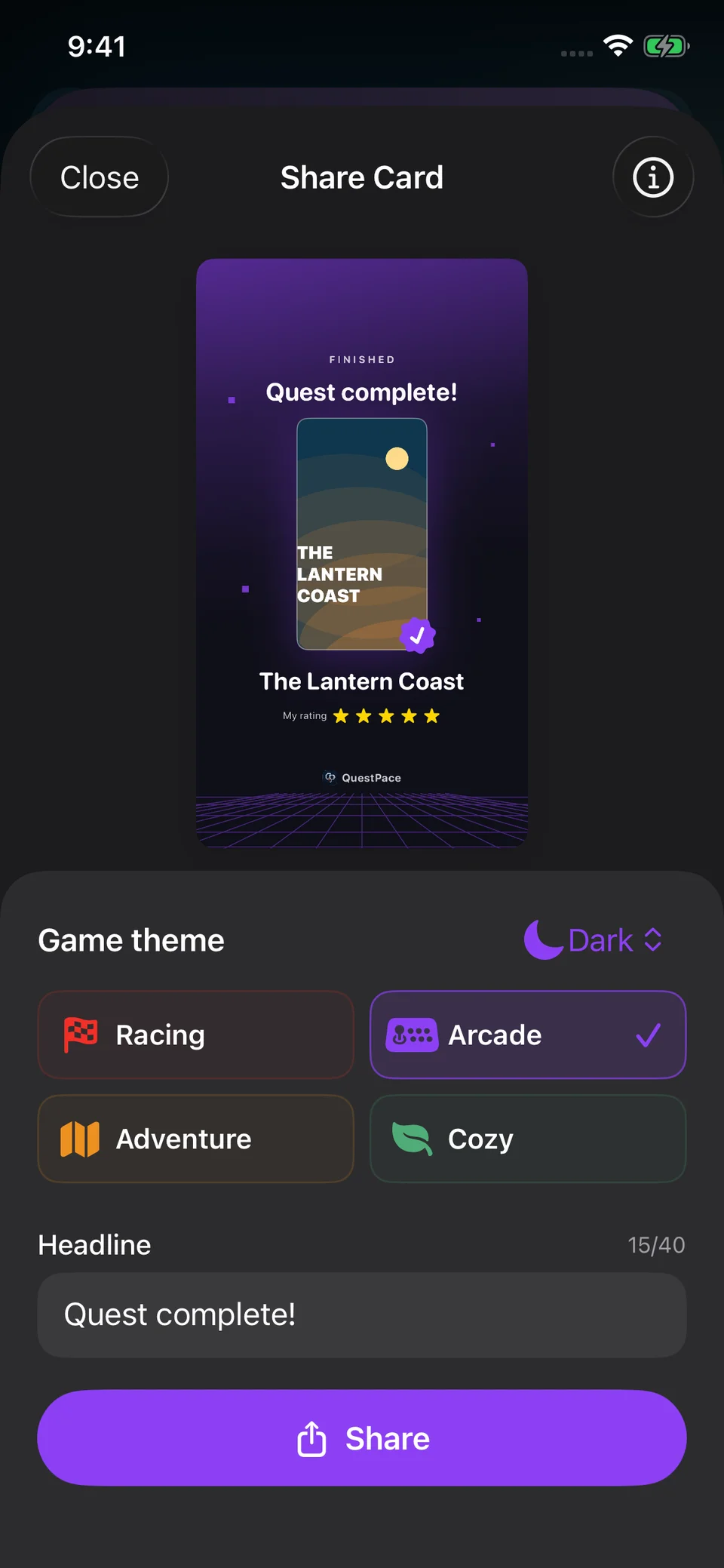
Share Card editor previewing The Lantern Coast with five stars in the dark purple Arcade card style.

Finished-game Share Card

Create a card for a finished game. Choose its style, headline and details, then preview it before sharing.

Real app. Fictional games, events and demo data. Insights depend on the data you record.

Free and Pro

Core features in Free.
More tools with Pro.

Use the core features for free, with an optional Pro upgrade.
One-time Pro. No subscription. No trial.

Free

Library essentials

Manage your collection and track your progress.

  • Unlimited games, search and game details
  • Statuses, ratings and personal notes
  • Optional playtime tracking and full history
  • Manual goals and basic statistics
  • iCloud sync, backup, restore and data controls
  • Existing plan management and event reminders
  • Three themes and core widgets

Pro ONE-TIME

Additional tools and insights

Everything in Free, plus insights, planning and customization.

  • Advanced insights and monthly / yearly recaps
  • Backlog Horizon and Time Budget Assistant
  • Deeper playtime insights
  • New game plans in Calendar and Reminders
  • Six more themes and the Goal Pace widget
  • Share cards for finished games and recaps

Pro pricing is shown in the app before purchase. Insights depend on the data you choose to record.

Contact

Questions
or feedback?

Contact the developer with questions, issues or suggestions.

Contact the developer